How it works
Three steps. You stay in control the whole time.
01
It reads everything
WhatsApp, email, and calendar — together, in one calm place.
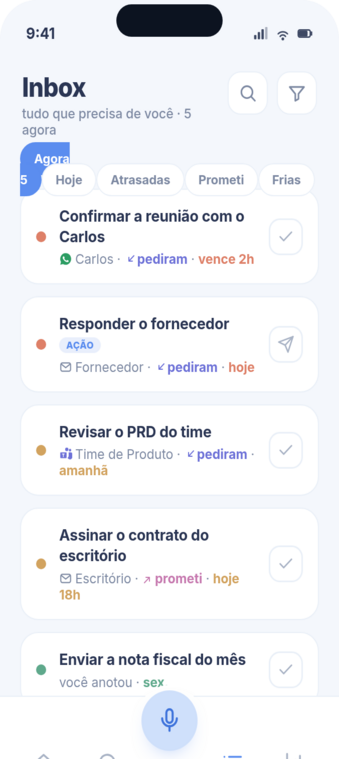
02
It surfaces only what matters
Priority is a color, so the things that need you pop — without you digging for them.
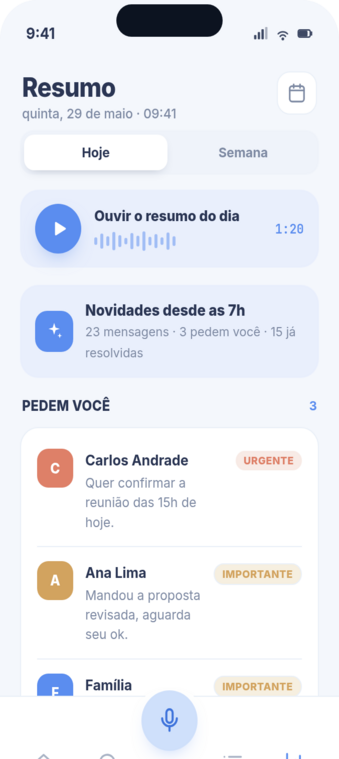
03
You decide
It drafts the reply in the right tone. You read, approve, and move on.

What makes it calm
Just speak
Talk to Facila like a person — it acts on your words. No menus, no hunting.
It remembers each contact
Like a secretary who has known them for years: tone, history, what matters.
Color = priority
Urgent, important, info — the color does the sorting. Your eyes go where they need to go.

Common questions
- Does Facila reply on its own?
- Only if you let it. It starts in observe-only mode, then drafts replies you approve before anything is sent.
- What does it work with?
- WhatsApp, email, and calendar. Teams, Telegram and more are on the way.
- Is my audio private?
- We transcribe and process on our own servers, and never train AI on your messages.
- Is it expensive?
- Plus is $9.90/month. Less than the gym you forgot to cancel.
Ready to feel caught up?
Join the waitlist